The basics
What is a WebP file?
WebP is an image format Google introduced in 2010 to make web pages lighter. One format covers what used to take three: lossy compression for photos (like JPEG), lossless compression for graphics and screenshots (like PNG), and animation (like GIF), all with optional transparency.
Its lossy mode is based on a single frame of the VP8 video codec, which Google acquired with On2 Technologies. The lossless mode, transparency and animation were added in the following years. In November 2024 the format was published as an IETF document, RFC 9649, which also registered the image/webp media type.
Most people meet WebP by accident: you save an image from a website and get a .webp file. Many sites send WebP to browsers that accept it because it's smaller than the JPEG or PNG it replaces, even when the address ends in .jpg. All current browsers show WebP, including Safari since version 14 (on macOS 11 Big Sur or later), but some older desktop apps still can't open it.
Anatomy
What's inside a WebP file
A WebP file is a RIFF container: a 12-byte header, then chunks, each with a 4-character name, a 4-byte size and its data. Unlike PNG, sizes are little-endian: the least significant byte comes first. Here are the first bytes of sample-lossy.webp and a map of its chunks.
52 49 46 46  BA 96 00 00  57 45 42 50
56 50 38 58  0A 00 00 00  0C 00 00 00  AF 04 00  1F 03 00
56 50 38 20  AA 93 00 00  90 A2 02  9D 01 2A  B0 04  20 03 …

offset  chunk    size    contents
000000  RIFF    38,586   file size minus 8, then "WEBP"
00000C  VP8X        10   flags: Exif + XMP; canvas 1200 × 800
00001E  "VP8 "  37,802   lossy image data (one VP8 key frame)
0093D0  EXIF       208   Exif metadata (TIFF header "MM")
0094A8  "XMP "     529   XMP metadata (XML), plus 1 padding byte
end of file at 38,594 bytes- 1
52 49 46 46 BA 96 00 00 57 45 42 50The RIFF header
RIFFin ASCII, then the size of everything after these 8 bytes (BA 96 00 00= 38,586), thenWEBP. RIFF is the same container family as WAV and AVI files, which also start withRIFF; theWEBPat byte 8 is what identifies the image. - 2
56 50 38 58 0A 00 00 00VP8X: the extended header
VP8Xwith a 10-byte body. It's there because the file uses features beyond a bare image: here, metadata. A simple WebP with no metadata, transparency or animation skips it and starts straight with the image chunk. - 3
0CFeature flags
0Cis binary00001100: the Exif and XMP flags are set. Other bits mark an ICC colour profile, alpha and animation. They tell a reader what to expect before it gets there. - 4
AF 04 00 1F 03 00Canvas size
Width and height in 3 bytes each, stored minus one:
0x04AF+ 1 = 1200 and0x031F+ 1 = 800. - 5
56 50 38 20 AA 93 00 00The image chunk: "VP8 "
Lossy image data, 37,802 bytes. The name ends in a space:
20. Lossless images useVP8Linstead, and animations wrap each frame in anANMFchunk. - 6
90 A2 02 9D 01 2A B0 04 20 03The VP8 frame header
This is a key frame from the VP8 video codec, the format WebP's lossy mode comes from.
9D 01 2Ais the VP8 start code, followed by the width (1200) and height (800) again. A lossy WebP is, in effect, a single frame of video. - 7
EXIF … 4D 4D 00 2AExif metadata
The same Exif tags a JPEG carries, starting directly with the TIFF header (
MMmeans big-endian), without JPEG'sExif\0\0prefix. - 8
"XMP "XMP metadata
Adobe's XML metadata: here a title and a rights line pointing to this page. Its size is odd (529), so a zero byte follows: every chunk is padded to an even length.
Under the hood
How WebP stores an image
WebP has two completely different compression engines inside one container:
- Lossy (
VP8). The image is converted to brightness and colour (YUV), with colour stored at half the width and half the height (4:2:0). It's cut into blocks of 16 × 16 pixels; each block is predicted from the pixels already decoded above and to its left, and only the difference is transformed, quantised and compressed. Prediction is a big part of why WebP beats JPEG, which codes each 8 × 8 block largely on its own. - Lossless (
VP8L). The pixels are transformed to make them more predictable (predicting each pixel from its neighbours, decorrelating red and blue from green, or switching to a palette when there are few colours), then compressed with back-references to repeated pixel runs and Huffman coding, close in spirit to PNG but with more tools.
Everything else lives in optional chunks around the image data:
| Chunk | What it holds |
|---|---|
VP8X | Extended header: feature flags and canvas size. Present whenever any chunk below is. |
VP8 | Lossy image data. |
VP8L | Lossless image data, with or without alpha. |
ALPH | Transparency for a lossy image, usually compressed with the lossless method, so edges stay exact. |
ANIM | Animation settings: background colour and loop count (0 = forever). |
ANMF | One animation frame: its position, size, duration in milliseconds, blending and disposal, then its own image data. |
ICCP | An ICC colour profile. |
EXIF, XMP | Metadata, the same kinds JPEG files carry. |
Readers are expected to skip chunks they don't recognise, so the format can grow without breaking old decoders. That's also why a WebP can carry metadata no viewer ever shows.
Variants
Lossy, lossless and animated WebP
The extension is always .webp, so you can't tell the kind from the name. The chunks give it away. Our samples, side by side:
| Sample | Kind | Chunks | Size |
|---|---|---|---|
sample-lossy.webp | Lossy photo, 1200 × 800 | VP8X, VP8 , EXIF, XMP | 38,594 bytes |
sample-lossy-alpha.webp | Lossy with lossless alpha, 640 × 400 | VP8X, ALPH, VP8 , XMP | 19,672 bytes |
sample-lossless-alpha.webp | Lossless with alpha, 640 × 400 | VP8X, VP8L, XMP | 20,910 bytes |
sample-animated.webp | Animated, lossless frames, 320 × 200 | VP8X, ANIM, 20 × ANMF, XMP | 13,384 bytes |
For the flat artwork in the two alpha samples, lossless costs only about 6% more than lossy. For photos the gap is far larger, which is why photos are usually saved lossy and graphics lossless.
Comparison
WebP vs JPG, PNG, GIF and AVIF
Google's studies found lossless WebP files 26% smaller than PNGs, and lossy WebP files about 25 to 35% smaller than JPEGs of similar quality. Results vary by image, but the direction holds. Our transparent artwork is 33,653 bytes as sample-transparent.png on the PNG page and 20,910 bytes as lossless WebP, with every visible pixel identical.
| WebP | JPG | PNG | GIF | AVIF | |
|---|---|---|---|---|---|
| Lossy | Yes | Yes | No | No | Yes |
| Lossless | Yes | Rarely supported | Yes | Up to 256 colours | Yes |
| Transparency | Yes | No | Yes | On/off only | Yes |
| Animation | Yes | No | Yes (APNG) | Yes | Yes |
| Bits per channel | 8 | 8 | Up to 16 | Palette | Up to 12 |
| Max size | 16,383 px per side | 65,535 px | About 2 billion px | 65,535 px | Depends on the profile; larger images are split into a grid |
| Support | All current browsers | Universal | Universal | Universal | All current browsers |
- Use WebP for images on your own website: photos lossy, graphics lossless.
- Use JPG or PNG for files people will download, edit, print or open in older software.
- Consider AVIF when you need the smallest photos and can afford slower encoding.
WebP's limits
No progressive loading, no images larger than 16,383 pixels on a side, 8 bits per channel only, and lossy mode always halves the colour resolution, which can blur fine red or blue text. Use lossless WebP or PNG for screenshots of text.
Troubleshooting
Why did my image save as .webp, and why won't it open?
Websites and image CDNs often check whether your browser accepts WebP (from its Accept request header) and send WebP if it does, whatever the address says. "Save image as" saves what was actually sent, so you get a .webp.
- To view it, drag it into any browser window.
- On Windows, if Photos won't open it, install Microsoft's free Webp Image Extensions from the Microsoft Store, which lets Photos and other Windows apps open WebP.
- On a Mac, Preview and Quick Look open WebP on macOS 11 Big Sur and later.
- To get a JPG or PNG instead, convert it (below), or look for a download button on the site, which often gives the original file.
- A
.webpthat won't open anywhere may be animated (some viewers only handle stills) or cut off. Check that it starts withRIFFand that the size in bytes 4 to 7 plus 8 equals the file size.
How to
How to open, edit and convert a WebP file
- Open it: any current browser, Windows Photos (with the extension above), macOS Preview, Android and iOS photo apps, GIMP, and recent versions of Photoshop and Affinity Photo.
- Convert to PNG or JPG: in Preview, File > Export; with Google's tools,
dwebp image.webp -o image.png; with ImageMagick,magick image.webp image.jpg; or in the browser with Squoosh. - Make a WebP:
cwebp -q 80 photo.jpg -o photo.webpfor lossy,cwebp -lossless graphic.png -o graphic.webpfor lossless.gif2webpconverts animated GIFs andimg2webpbuilds an animation from frames. - Inspect or edit chunks:
webpinfo image.webplists the chunks;webpmux -infoshows animation frames;webpmux -strip exifand-strip xmpremove metadata.
Converting a lossy WebP to PNG gives a bigger file, not a better picture: the detail lost in compression doesn't come back.
Security
Is WebP safe? The 2023 libwebp vulnerability
A WebP file can't run code. But images are decoded by complex code, and bugs in that code are a real attack route. In September 2023, a heap buffer overflow in libwebp, Google's WebP library, was found being exploited in the wild (CVE-2023-4863). A crafted lossless WebP could corrupt memory in any program that decoded it with an unpatched libwebp, and almost everything uses libwebp: Chrome, Firefox, Electron-based desktop apps, image tools and server libraries.
It was fixed in libwebp 1.3.2. Browsers updated within days; apps that bundle their own copy took longer.
- Keep browsers and apps updated. That's the main protection for viewing images.
- If you process uploads, keep image libraries current, decode in a separate process or container, and set limits on dimensions and file size.
- Mind the metadata.
EXIFandXMPchunks can carry GPS coordinates and camera details just as in a JPEG. Strip them withwebpmux -strip exifbefore publishing.
Free downloads
Sample WebP files to download
Free sample WebP files covering lossy, lossless, transparency and animation, for testing uploads, decoders, converters and size limits. All were generated from code and decode in Pillow (libwebp) and ImageMagick.
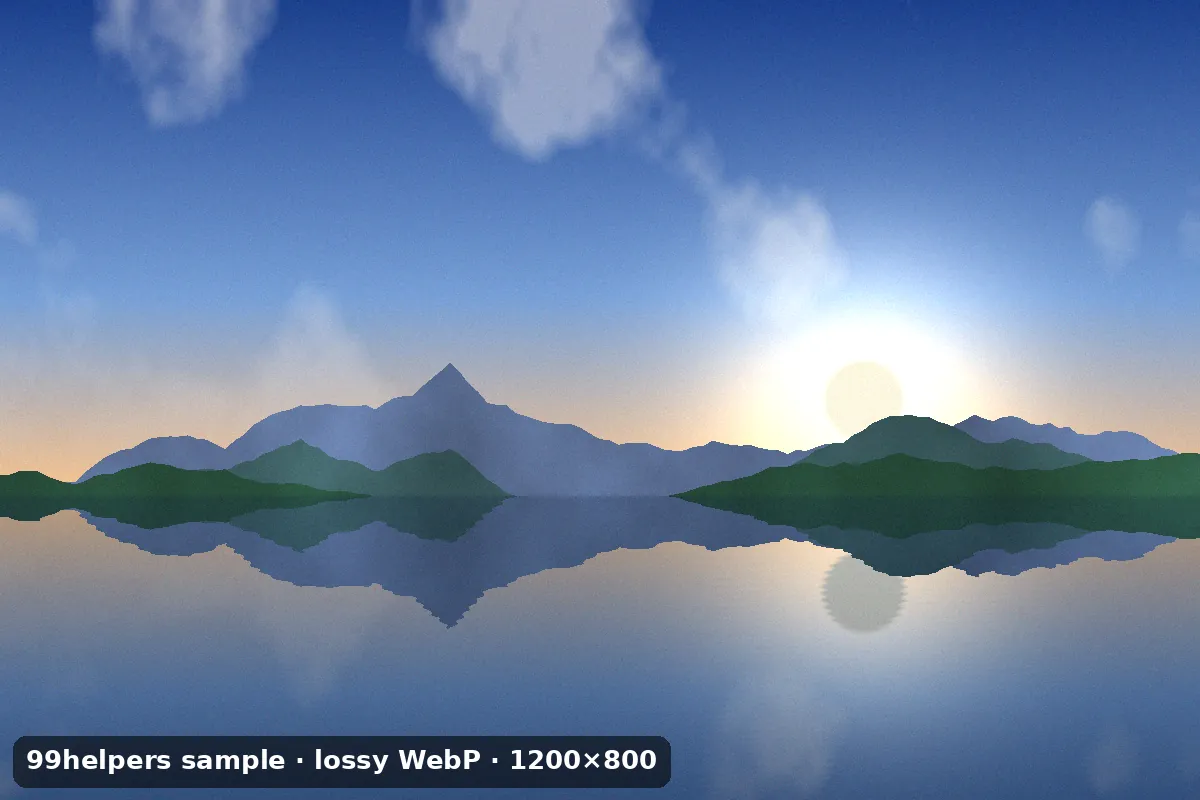
What's inside sample-lossy.webp
sample-lossy.webp is a 1200 × 800 photo-style image saved lossy at quality 80, with metadata. Run webpinfo on it, or open it in a hex editor, to see these parts.
RIFF header
RIFF, the size of the rest of the file (38,586 bytes), andWEBP.VP8X extended header
Flags for Exif and XMP, no alpha, no animation, and a canvas of 1200 × 800. A lossy WebP without metadata wouldn't need this chunk.
VP8 image data: 37,802 bytes
98% of the file. The same synthetic landscape as
sample-photo.jpgon our JPEG page, which is about three times the size there; that one is saved at a higher quality setting, so the two are not a like-for-like test.4:2:0 colour
Colour is stored at 600 × 400, half the size in each direction, as in every lossy WebP.
EXIF chunk
A description, software, artist (
Ada Example, fictional) and a copyright line pointing to this page.XMP chunk
The title and rights as XML, followed by a padding byte because the chunk has an odd size.
All sample WebP files
Lossy WebP photo
sample-lossy.webp · 37.7 KB (38,594 bytes)
A 1200 × 800 synthetic landscape, lossy at quality 80, in the extended format with
EXIFandXMPchunks.- Checking a site, CMS or app accepts WebP uploads
- Testing which metadata a pipeline keeps
Lossless WebP with transparency
sample-lossless-alpha.webp · 20.4 KB (20,910 bytes)
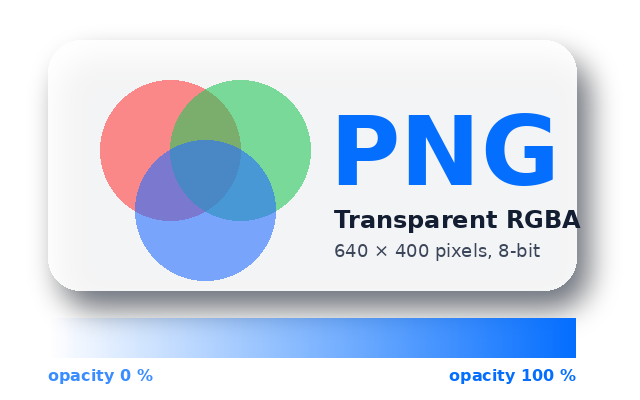
640 × 400 artwork with a soft shadow, translucent circles and an opacity ramp, stored losslessly (
VP8L). Same visible pixels assample-transparent.pngon the PNG page.- Testing alpha on light and dark backgrounds
- Comparing lossless WebP and PNG sizes
Lossy WebP with transparency
sample-lossy-alpha.webp · 19.2 KB (19,672 bytes)
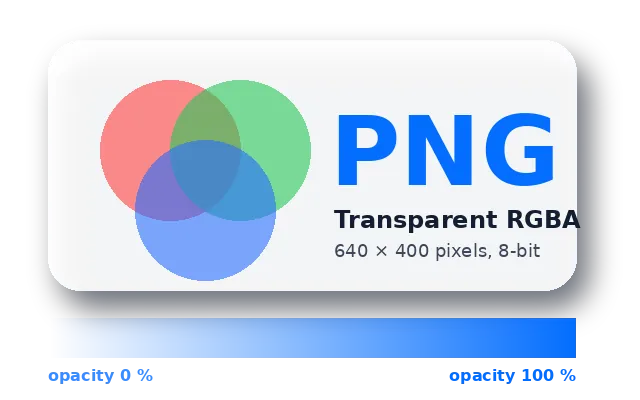
The same artwork with lossy colour (
VP8) and a separate, losslessly compressedALPHchunk, so the transparency is exact while the colours are approximated.- Decoder tests for the ALPH chunk
- Checking converters keep transparency from lossy WebPs
Animated WebP
sample-animated.webp · 13.1 KB (13,384 bytes)

The bouncing ball from our GIF samples: 20 lossless frames at 100 ms, looping forever. About half the size of the GIF version, in full colour.
- Checking animation survives upload and resizing
- Testing viewers that only handle still WebPs
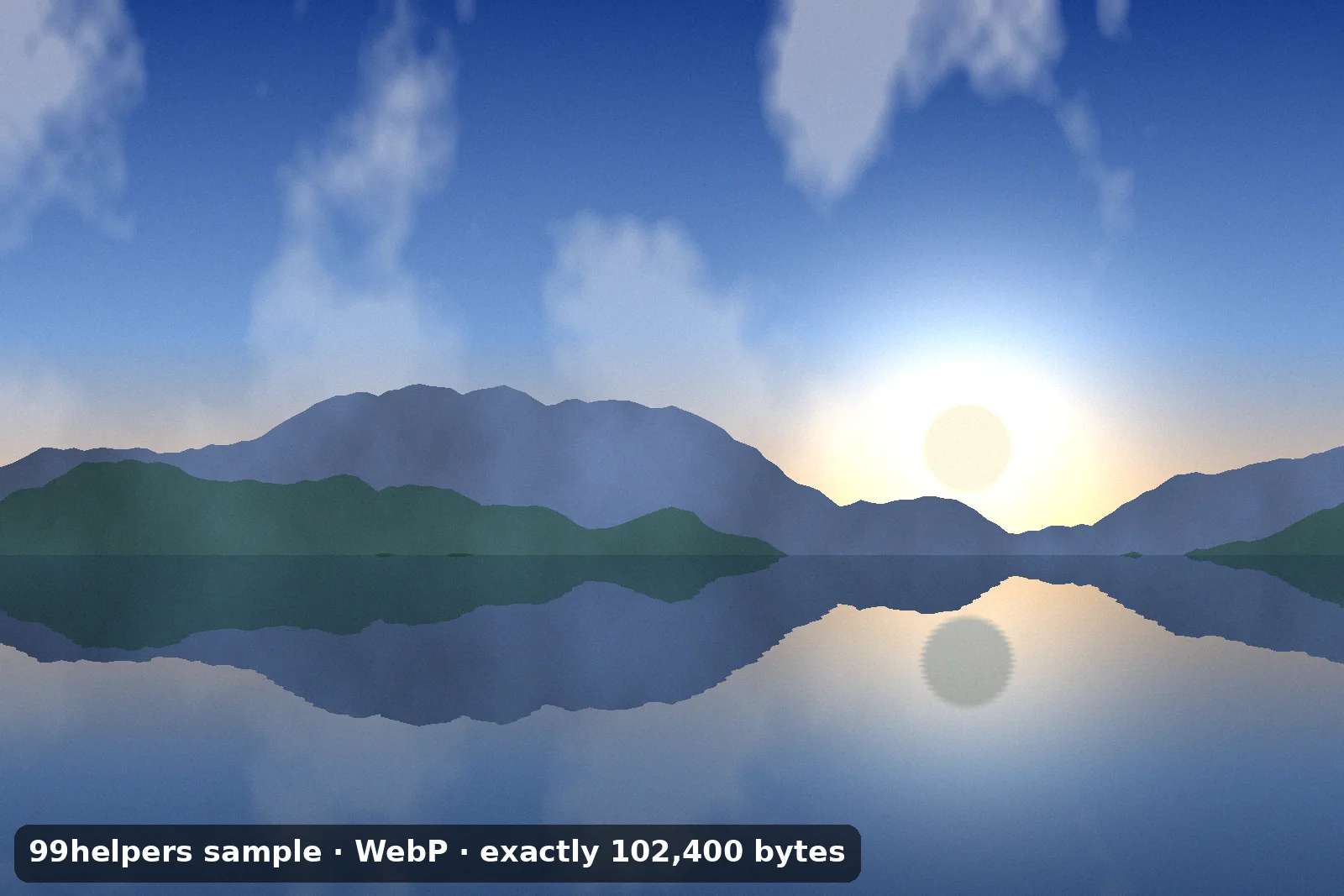
100 KB WebP file
sample-100kb.webp · 100 KB (102,400 bytes)
A 1600 × 1067 lossy image, padded with whitespace inside its XMP chunk to exactly 102,400 bytes.
- Upload and size-limit tests at 100 KB
- Image CDN and resizing tests
Ways to test with them
- Upload acceptance: some forms check the extension or MIME type and still reject WebP. Try
sample-lossy.webpand expectimage/webp. - Animation: after processing
sample-animated.webp, the ball should still bounce. Many thumbnailers keep only the first frame. - Transparency: convert
sample-lossy-alpha.webpto PNG; the background should stay transparent, not turn black or white. - Size limits:
sample-100kb.webpis exactly 102,400 bytes, so you can test a 100 KB limit at the boundary. - Metadata: check with
exiftoolwhether the Exif and XMP text insample-lossy.webpsurvives your pipeline.
Free to use for testing, teaching and demos, commercially or not, with no attribution needed. A link back to this page is always appreciated.
Put it online
Have a WebP file? Give it a link.
Drop a WebP on 99helpers and it gets its own web address. Anyone who opens the link sees the image straight away in their browser, animated WebPs included, with nothing to download or convert.
Questions
WebP files, frequently asked
What is a WebP file?
An image format made by Google for the web. It can be lossy like JPEG or lossless like PNG, supports transparency and animation, and is usually smaller than either.
How do I open a WebP file?
Drag it into any browser. On Windows, Photos opens it (with Microsoft's free Webp Image Extensions if needed); on a Mac, Preview opens it on macOS 11 or later.
How do I convert WebP to JPG or PNG?
Open it in Preview and use File > Export, use an online converter like Squoosh, or run dwebp image.webp -o image.png or magick image.webp image.jpg.
Is WebP better than PNG and JPG?
For images on a website, usually yes: smaller files at the same quality. For files people will download, edit or open in older software, JPG and PNG are still safer.
Why do images save as WebP from websites?
The site sends WebP to browsers that accept it, because it loads faster. You get what the browser received, even if the address ends in .jpg.
Does WebP support transparency?
Yes, in both lossy and lossless files, with full 8-bit alpha, unlike JPEG (none) and GIF (on or off only).
Can WebP be animated?
Yes. An animated WebP holds frames with their own timing and can loop. It's usually much smaller than the same animation as a GIF, and plays in all current browsers.
What's the maximum size of a WebP image?
16,383 × 16,383 pixels. For anything larger, use PNG, JPEG or TIFF, or split the image into tiles.
Related formats
Other file types explained
Keep going
Related
Sources
- RFC 9649: WebP Image Format (IETF, November 2024)
- Google for Developers: WebP FAQ
- MDN: Image file type and format guide
- NVD: CVE-2023-4863 (libwebp heap buffer overflow)
- Library of Congress: WebP format description
Last reviewed 27 October 2026.