The basics
What is an SVG file?
A photo in a PNG or JPG file is a grid of coloured pixels. An SVG file instead holds instructions: draw a circle here, a curve from this point to that one, fill it with this colour. A browser or graphics program follows the instructions each time it shows the image, at whatever size it needs. Zoom in as far as you like and the edges stay sharp, because nothing is being stretched.
The instructions are written as text in XML, so you can open an SVG in a text editor, read it, change a colour by hand or generate one with code. That's why SVG is the usual format for logos, icons, charts, maps, diagrams and illustrations on the web, and why chart libraries and design tools such as Figma, Illustrator and Inkscape all export it.
Three things that surprise people about SVG:
- It's bad at photos. A photo has millions of slightly different pixels. Describing them as shapes produces either a huge file or a posterised look. Keep photos as JPG, WebP or AVIF.
- It's more than a picture. An SVG can contain CSS, animation, links and JavaScript. That makes it powerful, and it's also why it needs more care than a PNG when you accept uploads (see security).
- It can contain bitmaps. An
<image>element can embed a PNG or JPG inside the SVG. The file is then only partly vector, and the embedded part blurs when scaled up.
Anatomy
What's inside an SVG file
SVG is XML: elements in angle brackets, each with attributes that give positions, sizes and colours. Here is a small but complete image, part by part. Paste it into a file called hills.svg and open it in a browser to see it.
<svg xmlns="http://www.w3.org/2000/svg"
     viewBox="0 0 120 80" width="240" height="160">
  <title>A sun over green hills</title>
  <defs>
    <linearGradient id="sky" x1="0" y1="0" x2="0" y2="1">
      <stop offset="0" stop-color="#7dd3fc"/>
      <stop offset="1" stop-color="#e0f2fe"/>
    </linearGradient>
  </defs>
  <rect width="120" height="80" fill="url(#sky)"/>
  <circle cx="90" cy="22" r="10" fill="#f59e0b"/>
  <path d="M0 60 C30 45 70 45 120 58 V80 H0 Z" fill="#22c55e"/>
  <g transform="translate(14 42)">
    <polygon points="6,0 12,16 0,16" fill="#15803d"/>
  </g>
  <text x="60" y="74" font-size="8" text-anchor="middle">Hello, SVG</text>
</svg>- 1
<svg xmlns="http://www.w3.org/2000/svg"The root and its namespace
Every standalone SVG file needs this exact
xmlnsvalue. Without it, a browser shows the file as an XML tree when you open it, and as a broken image in an<img>tag. (SVG pasted inside an HTML page can leave it out.) - 2
viewBox="0 0 120 80"The viewBox
The drawing's own coordinate system: x from 0, y from 0, 120 units wide and 80 high. Every position below is in these units, and y grows downwards.
- 3
width="240" height="160"The default size
How big the image appears when nothing else sets its size. Here the 120 × 80 drawing is shown at 240 × 160 pixels, so each unit is 2 pixels. CSS can override it.
- 4
<title>…</title>The title
A text alternative that screen readers can announce, and that some browsers show as a tooltip.
- 5
<defs> … </defs>Definitions
Things that aren't drawn by themselves but that shapes refer to by
id: gradients, patterns, clip paths, reusable symbols. - 6
<rect … fill="url(#sky)"/>A rectangle filled with the gradient
With no
xandyit starts at 0,0.url(#sky)points to the gradient defined above. Shapes are painted in file order, so this one is the background. - 7
<circle cx="90" cy="22" r="10" …/>A circle
A centre and a radius. The other basic shapes are
<ellipse>,<line>,<polyline>and<polygon>. - 8
<path d="M0 60 C30 45 … Z"/>A path
The most powerful element: a pen's movements in a compact code.
Mmoves,Cdraws a curve through two control points,VandHdraw vertical and horizontal lines, andZcloses the shape. Logos and icons exported from design tools are mostly paths. - 9
<g transform="translate(14 42)">A group with a transform
Everything inside moves together, here 14 units right and 42 down. Transforms can also
scale,rotateandskewXorskewY. - 10
<text … >Hello, SVG</text>Text
Real characters, so they can be selected, searched and translated. They're drawn in a font from the viewer's device, which is why text can look different from one computer to the next.
Under the hood
How a browser draws an SVG
- 1It parses the XML. Unlike HTML, XML is strict: one unclosed tag or a stray
&is a fatal error. In an<img>the image doesn't appear at all; opened directly, the browser shows a parse error. - 2It sets up the coordinate system from the
viewBox, and works out how big the image is on screen fromwidthandheight, the page's CSS, or both. - 3It fits the viewBox into that space. If the shapes don't match,
preserveAspectRatiodecides what happens. The default,xMidYMid meet, scales the drawing to fit and centres it, leaving empty bands rather than stretching it. - 4It paints the shapes in the order they appear. There is no z-index: later elements cover earlier ones.
- 5It applies styles. Colours and strokes can be attributes (
fill="red") or CSS, inside the file or, for SVG inlined in a page, from the page's stylesheet. - 6It runs animation and scripts, if they're allowed. Whether they are depends on how the SVG was loaded, which is the next section.
Why the viewBox matters more than width and height
Without a viewBox, an SVG can't scale: set it to a different size and it gets cropped or padded instead of resized. Most "my SVG won't resize" problems are fixed by adding a viewBox that matches the original width and height, then sizing the image with CSS.
Embedding
Five ways to put an SVG on a page, and what each allows
The same SVG file behaves differently depending on how it's loaded. The SVG standard defines processing modes for this: used as an image, an SVG is a sealed picture; loaded as a document, it's a small web page with all the abilities that brings.
| How it's loaded | Scripts run | Loads other files (fonts, images, CSS) | Page CSS can style its insides |
|---|---|---|---|
<img src="logo.svg"> | No | No | No |
CSS background-image: url(logo.svg) | No | No | No |
<svg> written inside the HTML | Yes, as part of the page | Yes | Yes |
<object>, <iframe> or <embed> | Yes | Yes | No, it's a separate document |
| Opened directly at its own address | Yes | Yes | Not applicable |
Animation written in CSS or with SVG's own <animate> elements still plays inside an <img>; only scripting and outside files are switched off. The sample-script.svg file below shows the difference: it reports "not running" as an image and "running" when opened on its own.
History
SVG versions and variants
| Version | Status | What it means today |
|---|---|---|
| SVG 1.0 | W3C Recommendation, 2001 | The first standard. Superseded by 1.1. |
| SVG 1.1 | Recommendation 2003; Second Edition 2011 | The stable baseline that SVG tools and libraries support. |
| SVG Tiny 1.2 | Recommendation, December 2008 | A profile for phones and devices of that era. Browsers never adopted it as a whole. |
| SVG 2 | Candidate Recommendation, latest snapshot October 2026 | Tidies up 1.1 and aligns it with CSS and HTML: plain href instead of xlink:href, paint-order, more CSS properties. Browsers implement much of it. |
Two variants you'll meet in practice:
.svgzis an SVG file compressed with gzip. On the web, browsers need the server to send it withContent-Encoding: gzip; opened from disk, support varies between browsers and tools. It's usually simpler to serve a plain.svgand let the server compress it in transit.- Editor SVG vs plain SVG. Inkscape, Illustrator and others can save extra data in their own XML namespaces so they can reopen the file with layers and settings intact. Browsers ignore it, but it adds weight. Export as "plain" or "optimised" SVG for the web, or run the file through an optimiser such as SVGO.
Related formats
SVG vs PNG, JPG and WebP
| SVG | PNG | JPG | WebP | |
|---|---|---|---|---|
| Type | Vector (shapes) | Raster (pixels) | Raster | Raster |
| Sharp at any size | Yes | No | No | No |
| Best for | Logos, icons, charts, diagrams | Screenshots, graphics with sharp edges | Photos | Photos and graphics |
| Transparency | Yes | Yes | No | Yes |
| Animation | Yes (CSS, SMIL, script) | Only as APNG | No | Yes |
| Text stays text | Yes, searchable and selectable | No | No | No |
| Can contain scripts | Yes | No | No | No |
A simple icon is often well under 1 KB as SVG and covers every screen density with one file, where a PNG would need several sizes. A detailed illustration with thousands of paths can be larger than the PNG of it, and slower to draw. If an image is mostly flat colours and clean edges, SVG usually wins; if it's photographic, use a raster format.
Troubleshooting
Why is my SVG blank, the wrong size, or in the wrong font?
| Symptom | Usual cause | Fix |
|---|---|---|
Broken image in <img>, or an XML tree when opened | The xmlns="http://www.w3.org/2000/svg" attribute is missing, or the XML has an error | Add the namespace; check the file with an XML validator |
| Shows as code or downloads instead of displaying | The server sends the wrong Content-Type, such as text/plain or application/octet-stream | Serve it as image/svg+xml |
| Too big, too small or won't resize | No viewBox, or fixed width and height that fight the CSS | Add a viewBox and size the image with CSS |
| Text in the wrong font | Text is drawn with fonts on the viewer's device, and an SVG used as an image can't load web fonts | Convert the text to outlines (paths) in your editor before exporting, or embed the font as a data: URL |
| Missing pictures inside the SVG | Linked bitmaps (href="photo.png") are blocked in image mode, or didn't travel with the file | Embed them as data: URLs, as in sample-embedded-png.svg |
| Page CSS can't change its colour | An SVG in an <img> is sealed off from the page | Inline the <svg> in the HTML and use fill="currentColor" |
How to
How to open, edit and convert an SVG file
- View it: drag it into any browser window. Browsers are the most complete SVG viewers there are.
- Draw or edit it: Inkscape is free on Windows, macOS and Linux and uses SVG as its own format. Illustrator, Affinity Designer and Figma import and export it.
- Change it by hand: open it in a code editor. Colours, text and sizes are plain attribute values you can search for.
- Make it smaller: run it through an optimiser such as SVGO, which removes editor metadata and shortens path data. Check the result, since aggressive settings can remove the
viewBoxor IDs your CSS relies on. - SVG to PNG: export from Inkscape or Illustrator at the size you need, or use a command-line tool such as
rsvg-convertor Inkscape's own command line. - PNG or JPG to SVG: this needs tracing (Inkscape's Trace Bitmap, Illustrator's Image Trace), which guesses shapes from pixels. It works for simple logos; for photos the result is an approximation. Wrapping a PNG in an
<image>element doesn't make it a vector.
Security
Is it safe to open or accept SVG files?
Viewing an SVG as an image is safe: in an <img> tag or as a CSS background, browsers run no scripts and load nothing from outside. The risk comes from SVG opened as a document, because it can carry JavaScript just like an HTML page:
- Stored cross-site scripting. If a site accepts SVG uploads (avatars, logos, attachments) and serves them from its own domain, anyone who opens the file's address directly runs its script as if it were part of that site, with access to that visitor's session on it.
- Phishing attachments. On many computers an
.svgattachment opens in the web browser by default, and its script can redirect to a fake sign-in page or build a download, much like a malicious.htmlattachment. - Server-side processing. Converters and thumbnailers parse SVG as XML and may follow references inside it. Badly configured, they can be tricked into reading local files (XML external entities), fetching internal addresses, or exhausting memory with nested entity expansion.
If you accept SVG uploads
Sanitise them with a library built for SVG (for example DOMPurify with its SVG profile), and serve user files from a separate domain with a Content-Security-Policy that blocks scripts, or with Content-Disposition: attachment. If you only need a picture, converting uploads to PNG removes the problem entirely.
Free downloads
Sample SVG files to download
Free sample SVG files for testing viewers, upload filters, sanitisers, converters and size limits. Each one is well-formed XML, passes the W3C Nu validator's SVG check and renders in current browsers.
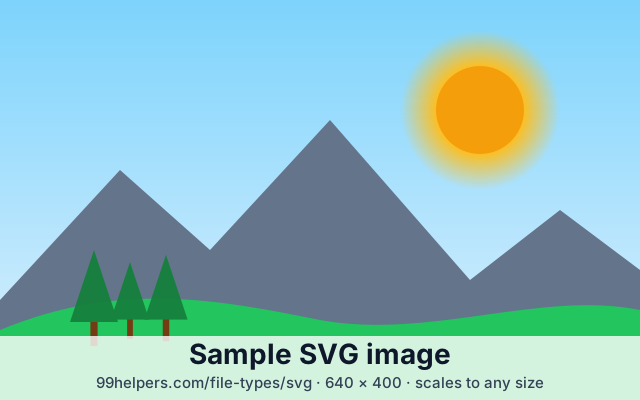
What's inside sample-image.svg
The file is commented: open it in a text editor and each numbered comment marks one of these parts.
Comment 1: the root element
The SVG namespace, an
xlinknamespace for older software, a 640 × 400viewBoxand a matching default size, androle="img"so assistive technology treats it as one image.Comment 2: title and description
<title>, as the first child of the root, gives the image its accessible name, and<desc>a longer description.Comment 3: CSS inside the SVG
A
<style>element with classes for the sky, caption and band, and aprefers-color-schemerule that switches to a night sky when the device is in dark mode.Comment 4: definitions
A linear gradient for the sky, a radial gradient for the sun's glow, and a tree drawn once as a
<symbol>.Comments 5 and 6: shapes and paths
A rectangle and two circles, then two paths: a mountain range of straight lines (
L) and a hill of curves (C).Comments 7 and 8: groups and reuse
A
<g>withtranslateandscalemoves three trees at once, and each tree is a<use>of the same symbol. It carries bothhref(SVG 2) andxlink:href(SVG 1.1) for older tools.Comment 9: text
Two lines of real text on a semi-transparent band, centred with
text-anchor="middle"and drawn with the viewer's system font.
All sample SVG files
Complete sample image
sample-image.svg · 3.4 KB (3,526 bytes)
A landscape built from gradients, shapes, paths, a reused symbol and text, with embedded CSS that adapts to dark mode and numbered comments explaining each part.
- Checking a viewer, converter or upload pipeline handles real-world SVG
- Teaching the parts of an SVG file
Minimal SVG
sample-minimal.svg · 116 bytes
One circle, a namespace and a
viewBox, and nothing else: nowidth, noheight, no XML declaration. How big it appears depends entirely on where you put it.- Testing how an app sizes SVGs without dimensions
- Parser tests
Animated SVG
sample-animated.svg · 1.0 KB (1,051 bytes)
A ring turned by a CSS animation and a dot pulsed by a SMIL
<animate>element. Both keep playing inside an<img>tag. The CSS animation stops if the device asks for reduced motion.- Checking whether a viewer or converter supports SVG animation
- Thumbnails: most converters keep only the first frame
SVG with a script
sample-script.svg · 1.0 KB (1,046 bytes)
A harmless script that changes the image's text from "not running" to "running" and turns the dot green. Shown here as an image, it stays red. Open it directly in a new tab and it turns green.
- Testing SVG sanitisers and upload filters
- Checking whether a viewer runs scripts inside SVG
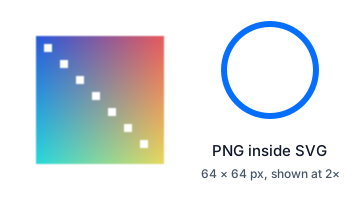
SVG with an embedded PNG
sample-embedded-png.svg · 1.4 KB (1,432 bytes)
A 64 × 64 PNG stored inside the SVG as a base64
data:URL and shown at twice its size, next to a vector circle that stays sharp.- Testing converters and sanitisers with `data:` URLs
- Showing the difference between vector and raster content
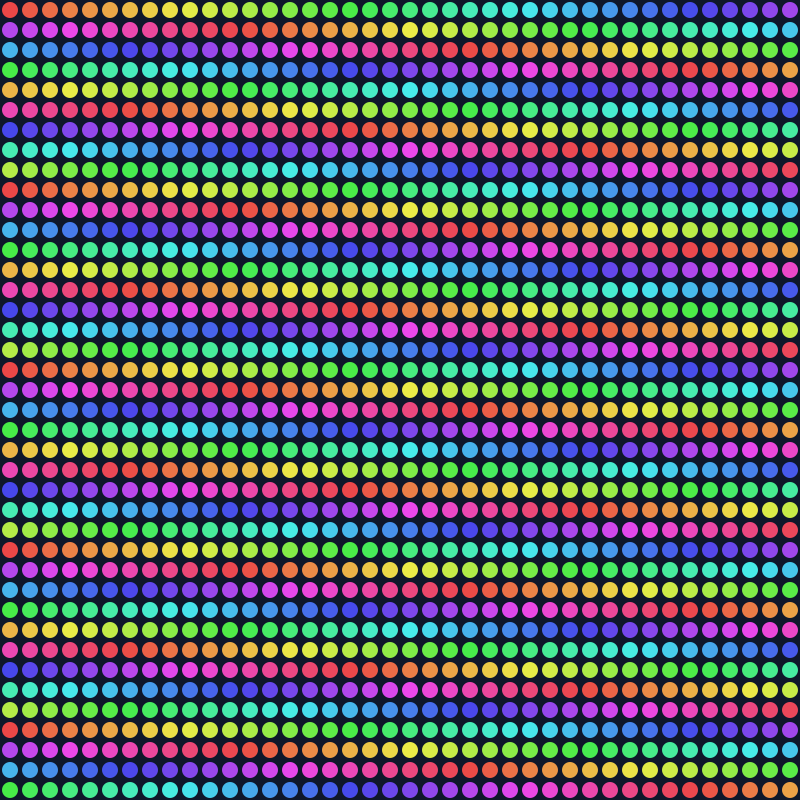
100 KB SVG file
sample-100kb.svg · 100 KB (102,400 bytes)
A grid of 1,600 coloured circles, padded with a comment to exactly 102,400 bytes.
- Upload and size-limit tests
- Rendering performance and compression tests



Ways to test with them
- Sanitisers and upload filters: upload
sample-script.svg, then open the stored file's address directly. If it says "running", scripts in uploaded SVGs reach your visitors. - Image mode vs document mode: show
sample-script.svgin an<img>and in an<iframe>; only the iframe should turn green. - Sizing: put
sample-minimal.svgin an<img>with no width or height to see how your layout handles an SVG with no intrinsic size. - Converters and thumbnails: run
sample-image.svgandsample-animated.svgthrough your SVG-to-PNG step and check gradients, symbols, text and the first animation frame. - Upload limits:
sample-100kb.svgis exactly 102,400 bytes, for testing a limit at the boundary.
Free to use for testing, teaching and demos, commercially or not, with no attribution needed. A link back to this page is always appreciated.
Put it online
Have an SVG file? Give it a link.
Drop an SVG on 99helpers and it gets its own address in seconds. Anyone who opens the link sees the image in their browser, sharp at any zoom.
Questions
SVG files, frequently asked
What does SVG stand for?
Scalable Vector Graphics. "Vector" means the image is stored as shapes rather than pixels, which is what makes it scalable without losing sharpness.
How do I open an SVG file?
Drag it into any web browser to view it. To edit it, use a vector editor such as Inkscape (free), Illustrator or Figma, or a text editor to change the code directly.
Is SVG better than PNG?
For logos, icons, charts and illustrations, usually yes: one small file stays sharp on every screen. For photos and screenshots, no: use PNG, JPG or WebP.
Can an SVG file contain a virus?
It can contain JavaScript, which runs when the SVG is opened directly in a browser or embedded as a document. Shown as an image in an <img> tag, its scripts never run. Treat unexpected SVG attachments with the same care as HTML attachments.
Why does my SVG show up blank?
The most common causes are a missing xmlns="http://www.w3.org/2000/svg" on the root element, an XML syntax error, or a server sending the file with the wrong Content-Type. A missing viewBox can also leave the drawing outside the visible area.
How do I convert an SVG to PNG?
Export it from Inkscape or Illustrator at the size you need, or use a command-line tool such as rsvg-convert. Pick the pixel size at export time: unlike the SVG, the PNG can't be enlarged later without blurring.
Can I convert a JPG or PNG to SVG?
Only by tracing, which guesses shapes from the pixels. It works well for simple, flat logos and poorly for photos. Placing a bitmap inside an SVG file doesn't make it a vector.
What is an SVGZ file?
An SVG file compressed with gzip. It's the same image in fewer bytes, but a server must send it with Content-Encoding: gzip for browsers to show it, and some tools can't open it from disk.
Can SVG be animated?
Yes, with CSS animations, SVG's own <animate> elements, or JavaScript. CSS and <animate> animations also play when the SVG is used as an image; script-driven ones don't.
Related formats
Other file types explained
Keep going
Related
Sources
- Scalable Vector Graphics (SVG) 2 (W3C)
- SVG 2: processing modes for SVG used as an image
- SVG 1.1 publication history (W3C)
- SVG Tiny 1.2 Recommendation (W3C)
- MDN: SVG as an image
- MDN: Image file type and format guide
Last reviewed 27 October 2026.