The basics
What is an RSS file?
An RSS file, usually called a feed, is a machine-readable list of the newest things on a website: blog posts, news stories, releases, or the episodes of a podcast. A feed reader keeps the addresses of the feeds you follow, downloads each one from time to time, and shows you whatever has appeared since its last visit. No account with the site is needed, and nothing decides for you what to show.
Every podcast is an RSS feed: the podcast app subscribes to the feed and downloads the audio files its items point to. Most blogging systems, including WordPress, publish one automatically (WordPress at /feed/), and so do many news sites, newsletters and code hosting services.
Three things RSS is not:
- Not a web page. It is data for a program. Opened in a browser, it shows as XML, for reasons explained below.
- Not a push service. Nothing is sent to readers. Each reader fetches the feed on its own schedule, so a new post can take minutes or hours to appear.
- Not one format. "RSS" covers several incompatible versions, and Atom is a separate format that does the same job. Feed readers handle them all.
Anatomy
What's inside an RSS file
An RSS 2.0 feed is an <rss> element containing one <channel>, which describes the feed and holds a list of <item> elements, one per post or episode. Here is a small but complete feed, part by part.
<?xml version="1.0" encoding="UTF-8"?>
<rss version="2.0" xmlns:atom="http://www.w3.org/2005/Atom">
<channel>
<title>Sample Notes</title>
<link>https://example.com/</link>
<description>Notes from a fictional blog</description>
<language>en-gb</language>
<atom:link href="https://example.com/feed.rss"
rel="self" type="application/rss+xml"/>
<item>
<title>Hello, world</title>
<link>https://example.com/hello</link>
<description><p>The first post.</p></description>
<guid isPermaLink="false">sample-notes-1</guid>
<pubDate>Mon, 26 Oct 2026 08:30:00 +0100</pubDate>
<enclosure url="https://example.com/hello.mp3"
length="171104" type="audio/mpeg"/>
</item>
</channel>
</rss>- 1
<?xml version="1.0" encoding="UTF-8"?>The XML declaration
RSS is XML, so XML's strict rules apply. A single unescaped
&makes the whole feed unreadable to a strict parser. - 2
<rss version="2.0" …>The root element
version="2.0"is required. RSS 2.0's own elements have no namespace; extensions such asatom:bring their own. - 3
<channel>The channel
Exactly one, describing the feed as a whole.
- 4
<title> <link> <description>The three required elements
The feed's name, the address of the website it belongs to, and a sentence about it. Everything else in the channel is optional.
- 5
<atom:link … rel="self"/>The self link
The feed's own address, borrowed from Atom. Optional, but feed validators recommend it so readers know the canonical URL.
- 6
<item>An item
One post, article or episode. All its elements are optional, but it needs at least a title or a description.
- 7
<description><p>…</description>HTML, escaped
A summary or the full text. HTML is allowed but must be escaped, as here, or wrapped in a CDATA section.
- 8
<guid isPermaLink="false">The unique identifier
How readers tell new items from ones they've already shown. It must never change.
isPermaLink="false"says it's just an ID, not a web address. - 9
<pubDate>Mon, 26 Oct 2026 08:30:00 +0100</pubDate>The publication date
Written in the RFC 822 email date format, not ISO 8601. The year may have two or four digits; four is preferred.
- 10
<enclosure url=… length=… type=…/>An enclosure
A file attached to the item, which is what makes a podcast: the address of the audio, its size in bytes and its MIME type.
History
RSS versions: 0.9x, 1.0 and 2.0
RSS grew in two branches with confusingly similar names. The 0.9x line led to RSS 2.0, which is what "RSS" means today. RSS 1.0 is a separate design based on RDF that shares only the name and the purpose.
| Version | Released | By | Notes |
|---|---|---|---|
| 0.90 | March 1999 | Netscape | "RDF Site Summary", for the My Netscape portal. |
| 0.91 | July 1999; June 2000 | Netscape; then UserLand Software | Dropped RDF. Two slightly different specifications with the same number. |
| 1.0 | December 2000 | RSS-DEV Working Group | RDF-based, extensible through modules. Files often end in .rdf. |
| 0.92 | December 2000 | UserLand | Made every item element optional; added enclosure. |
| 2.0 | August 2002 | UserLand (Dave Winer) | Namespaces for extensions, guid. Moved to Harvard's Berkman Center in 2003. |
| 2.0.11 | March 2009 | RSS Advisory Board | The current text. Clarifications only: the format itself is frozen. |
Because RSS 2.0 is frozen, new features arrive as extensions in their own XML namespaces. The ones you'll see most:
| Prefix and element | What it adds |
|---|---|
content:encoded | The full HTML of a post, alongside a short description. From the RSS 1.0 content module. |
dc:creator | An author's name. RSS's own author must be an email address, so most blogs use this instead. |
atom:link rel="self" | The feed's own address. |
itunes:… | Podcast details: artwork, category, explicit flag, episode numbers. Required in practice by Apple Podcasts. |
media:… | Media RSS: thumbnails, video and image details. |
podcast:… | The Podcast Index namespace: transcripts, chapters, funding links and more. |
The details
Dates, guids and HTML: the details readers depend on
Dates in RSS use the format of RFC 822, the old email standard: Mon, 26 Oct 2026 08:30:00 +0100. That is a weekday name, the day, an English month abbreviation, the year, the time and a time zone. ISO dates like 2026-10-26T08:30:00Z are not valid RSS dates. Write the time zone as GMT or a numeric offset such as +0100: RFC 822 knows only a handful of US zone names, and CET isn't one of them. A wrong date can put a new post in the wrong place in a reader's list.
The guid is how a reader knows it has already seen an item. If guids change, for example because a site moved to a new domain and its guids were the old URLs, every reader shows every recent post again as new. With no guid at all, readers have to fall back on something else, such as the link or the title, so editing those can produce a duplicate too. Use a stable ID with isPermaLink="false", or a permanent URL you will never change.
HTML in description or content:encoded must be hidden from the XML parser, in one of two equivalent ways:
- Escaped:
<p>Hello</p>. Every<becomes<and every&becomes&. - In a CDATA section:
<![CDATA[<p>Hello</p>]]>. Everything up to]]>is passed through untouched. Text that contains]]>itself has to be split across two sections.
Links and images inside the HTML should use full https:// addresses. A relative link like /about is resolved against whatever the reader guesses the base is, which is often not your site.
Podcasts
Podcast feeds: enclosures and itunes tags
A podcast feed is an RSS 2.0 feed where each item has an enclosure: the audio file's address, its exact size in bytes (length) and its type, such as audio/mpeg for MP3. Apple Podcasts' published requirements add:
- The feed must follow RSS 2.0, be publicly reachable without a password, and declare the
itunesandcontentnamespaces. - Every episode needs a unique enclosure and a GUID that never changes.
- The server must answer HTTP HEAD requests and byte-range requests, so apps can check files and stream them.
- Dates follow RFC 2822 (the successor of RFC 822), with a time zone offset.
- Show artwork from 1,400 × 1,400 to 3,000 × 3,000 pixels, as JPEG or PNG.
- Tag values are case-sensitive:
Kids & Familyis a valid category,Kids & familyis not.
Spotify, Pocket Casts and other apps read the same feed. The itunes: tags began as Apple's but are now what most podcast software expects.
Comparison
RSS vs Atom vs JSON Feed
Three formats do the same job, and good feed readers accept all three. Which one a site offers is usually decided by its software.
| RSS 2.0 | Atom | JSON Feed | |
|---|---|---|---|
| Syntax | XML | XML | JSON |
| Specification | RSS 2.0.11, RSS Advisory Board | RFC 4287, IETF (2005) | Version 1.1 (2020), Brent Simmons and Manton Reece |
| MIME type | application/rss+xml (unregistered) | application/atom+xml (registered) | application/feed+json (unregistered) |
| Required per item | A title or a description | id, title, updated | id |
| Date format | RFC 822 (Mon, 26 Oct 2026 08:30:00 +0100) | RFC 3339 (2026-10-26T08:30:00+01:00) | RFC 3339 |
| Says whether text is HTML | No: readers guess | Yes: type="text", "html" or "xhtml" | Yes: content_html or content_text |
| Podcasts | Standard choice; itunes: tags | Possible, rarely used | Supported through attachments |
If you're choosing, RSS 2.0 has the widest support and is required for podcasts. Atom is better specified, which helps anyone writing a parser. JSON Feed is easiest to generate from code.
In the browser
Why a feed shows raw XML in your browser
Browsers no longer include feed readers. Firefox removed its feed preview and Live Bookmarks in version 64 (December 2018), and Chrome never had them. Open a feed's address and you get the XML itself: as a document tree with a note that it has no style information, as plain text, or as a download, depending on the browser and the Content-Type the server sends.
Some sites attach an XSLT stylesheet to their feed (<?xml-stylesheet type="text/xsl" href="…"?>) so it looks like a page in a browser. That is ending: Chrome plans to stop running XSLT from version 158 (17 November 2026), and the Firefox and WebKit teams have said they intend to remove it too. Feed readers ignore the stylesheet, so feeds keep working; only the browser view changes.
The reliable way to help people find a feed is autodiscovery: a line in the <head> of your web pages that feed readers look for when someone pastes in your site's address.
<link rel="alternate" type="application/rss+xml"
      title="Sample Notes" href="https://example.com/feed.rss">
Troubleshooting
How to validate a feed, and the usual mistakes
Paste the feed's address or text into the W3C Feed Validation Service, which checks RSS and Atom and explains each problem. The mistakes it finds most often:
- An unescaped
&or<in a title or description, often from a post title like "Fish & chips". The XML parser stops there, and many readers then show nothing. - Dates in the wrong format, such as ISO 8601, or a weekday that doesn't match the date.
- Changing guids or links, which makes readers show old posts as new.
- A wrong enclosure length. The specification defines it as the file's size in bytes, so set it to the exact size.
- Encoding problems: a feed that says UTF-8 but contains Windows-1252 bytes, typically curly quotes pasted from a word processor.
Security
Feed readers show HTML written by other people, so good ones remove scripts and other active content before display. Servers that fetch and parse feeds (aggregators, podcast directories, link previews) should treat them like any untrusted XML and disable external entities, as explained on the XML page.
Free downloads
Sample RSS files to download
Free sample RSS 2.0 feeds for testing feed readers, podcast apps and parsers. Each one is well-formed XML, reads cleanly in Python's feedparser, and passes the W3C Feed Validation Service.
Loading…What's inside sample-blog.rss
The file is commented: open it in a text editor and each numbered comment marks one of these parts.
Comments 1 and 2: declaration and root
The XML declaration, then
<rss version="2.0">with theatomanddcnamespaces declared for the extensions the feed uses.Comments 3 and 4: the channel
The three required elements (
title,link,description), then optional ones:language,copyright,managingEditor,lastBuildDate,generator,docsand attlof 60 minutes.Comments 5 and 6: self link and image
The feed's own address as an
atom:link, and a channelimagewith the requiredurl,titleandlink.Comments 7 and 8: an item with HTML
A full item whose
descriptionholds escaped HTML, which a reader shows as a paragraph with bold text.Comments 9 and 10: author and guid
authoras an email address with a name in brackets, two categories, a comments link, and a guid markedisPermaLink="false".Comments 11 and 12: dates and a permalink guid
pubDatein RFC 822 format with numeric offsets for summer and winter time, and a second item whose guid doubles as its permanent link, withdc:creatorfor the author's name.Comment 13: an item with no title
Valid RSS, and a good test of how a reader labels an item that only has a description.
All sample RSS files
Commented blog feed
sample-blog.rss · 4.2 KB (4,308 bytes)
A three-item feed for a fictional blog that uses every common channel and item element, with numbered comments explaining each part.
- Teaching the parts of an RSS feed
- Testing a feed reader or parser
Podcast feed with three episodes
sample-podcast.rss · 3.2 KB (3,256 bytes)
A fictional show with
itunes:tags and three episodes whose enclosures are real sample MP3 files on 99helpers.com, with their exact byte sizes. Its artwork issample-podcast-cover.jpgbelow.- Testing podcast apps and players
- Checking enclosure handling and downloads
Full HTML posts in content:encoded
sample-content-encoded.rss · 2.9 KB (2,945 bytes)
Full post HTML in
content:encoded, once in CDATA and once escaped, with an image, a list, code, emoji and an item whose CDATA must hold the text]]>.- Testing HTML rendering and sanitising in readers
- Checking CDATA handling in parsers
Minimal RSS 2.0 feed
sample-minimal.rss · 418 bytes
The required channel elements and one item with a title and a guid. Valid; the W3C validator only suggests adding a self link.
- Parser smoke tests
- A starting point for a new feed
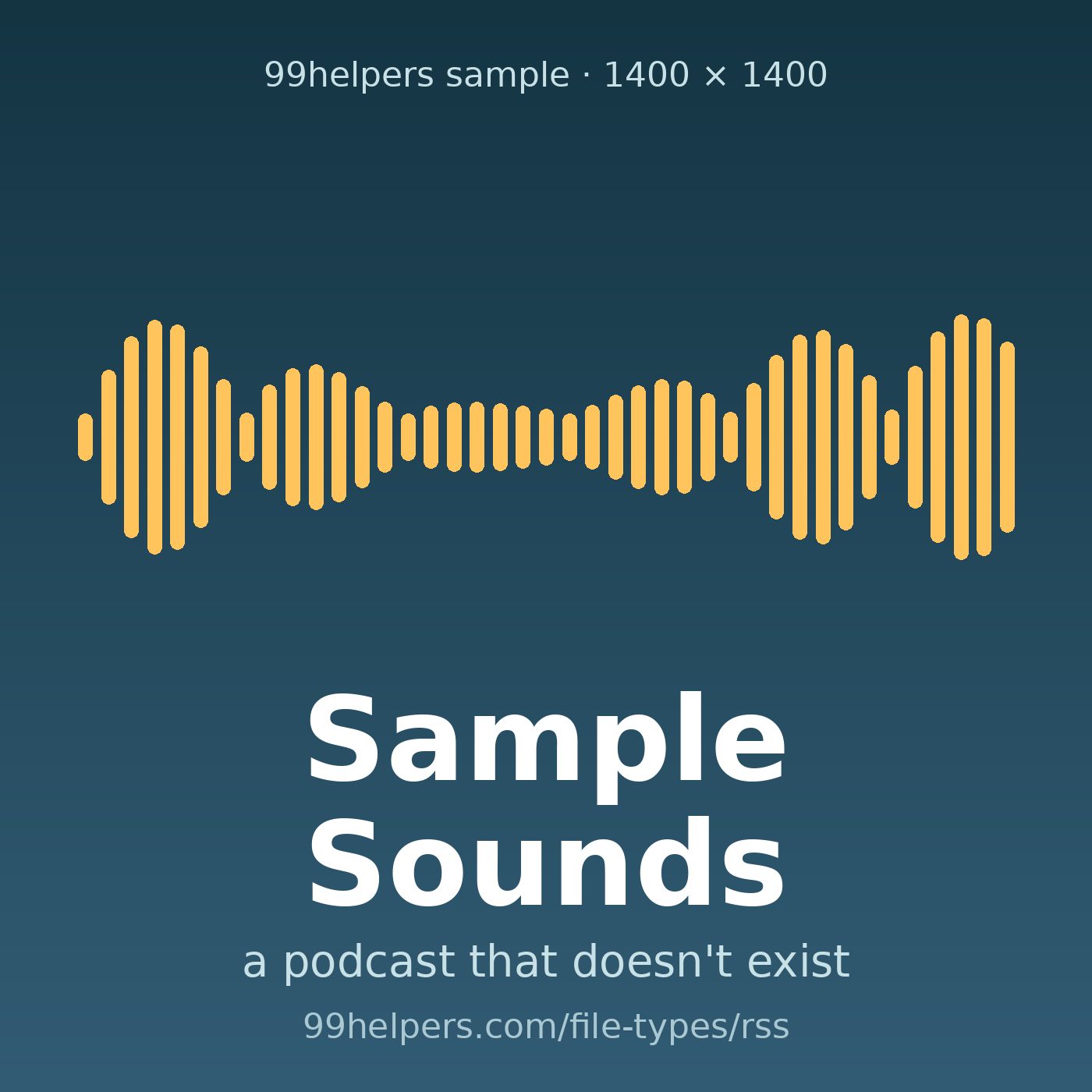
Podcast cover art, 1400 × 1400
sample-podcast-cover.jpg · 102.3 KB (104,776 bytes)
Square artwork for the sample podcast at 1,400 × 1,400 pixels, the smallest size Apple Podcasts accepts. Referenced by
sample-podcast.rss.- Completing the podcast feed test
- Testing artwork size checks
Ways to test with them
- Feed readers: subscribe to
sample-blog.rssat its 99helpers address. You should see three items, one with no title, in date order, with the first item's text in bold where marked. - Podcast apps: add
sample-podcast.rssby URL. All three episodes should play; they are 10, 10 and 5 seconds long. - HTML handling: in
sample-content-encoded.rss, the first two items should render identically, and the third should show the text]]>literally. - Parsers: the 99helpers addresses of these files are stable, so you can use them as fixtures in automated tests that fetch a real feed.
Free to use for testing, teaching and demos, commercially or not, with no attribution needed. A link back to this page is always appreciated.
Put it online
Have an RSS feed? Give it a link.
Drop an RSS file on 99helpers and it gets its own web address. Browsers show it as XML, and feed readers and podcast apps can subscribe to the link.
Questions
RSS files, frequently asked
What does RSS stand for?
Really Simple Syndication, for RSS 2.0. The earlier 0.90 and the separate 1.0 used the name RDF Site Summary.
How do I open an RSS file?
Add its address to a feed reader or podcast app to follow it. To look at the XML, open it in a browser or a text editor.
Why does an RSS feed show code in my browser?
Browsers no longer have built-in feed readers, so they show the XML itself. Copy the address into a feed reader instead.
What's the difference between RSS and Atom?
Both are XML feed formats that do the same job. Atom is an IETF standard with stricter rules (required IDs, precise dates, labelled content types); RSS 2.0 is older, looser and the norm for podcasts. Readers handle both.
Is RSS still used?
Yes. Every podcast is distributed as an RSS feed, most blogging platforms publish one automatically, and feed readers remain a popular way to follow sites without an algorithm.
How do I find a website's RSS feed?
Paste the site's address into a feed reader, which looks for an autodiscovery link in the page's HTML. Or view the page source and search for application/rss+xml. WordPress sites have one at /feed/.
What MIME type should an RSS feed use?
application/rss+xml is the common choice and what autodiscovery links use, though it was never registered with IANA. application/xml and text/xml also work with feed readers.
What date format does RSS use?
RFC 822, the email date format: Mon, 26 Oct 2026 08:30:00 +0100. ISO 8601 dates are not valid in RSS 2.0, though Atom uses them.
Related formats
Other file types explained
Keep going
Related
Sources
- RSS 2.0 Specification, version 2.0.11 (RSS Advisory Board)
- RSS Advisory Board: RSS History
- RSS Advisory Board: RSS Best Practices Profile
- Apple Podcasts: Podcast RSS feed requirements
- Chrome for Developers: Removing XSLT for a more secure browser
- W3C Feed Validation Service
Last reviewed 27 October 2026.