The basics
What is a BMP file?
A BMP file stores a picture as a grid of pixels, almost always without compression. Microsoft and IBM designed it in the 1980s for Windows and OS/2, so that a program could load an image straight into memory and draw it on screen with very little processing. The file layout is the in-memory layout Windows uses for a device-independent bitmap (DIB), with a small file header in front.
That simplicity is both BMP's strength and its weakness. Any program can read and write it with a few dozen lines of code, and decoding is close to free. But the files are big: our 640 × 400 sample-24bit.bmp is 768,054 bytes, while the same picture is 458,129 bytes as PNG (lossless) and 41,904 bytes as a quality-85 JPEG.
Where you still meet BMP:
- Inside Windows: the clipboard passes images as DIBs, and icons (
.ico) and cursors (.cur) store their images as BMP-style bitmaps (or PNGs) without the file header. - Embedded devices and hobby electronics: small screens, printers and microcontrollers often read BMP because it needs no decompression library.
- Older software and test pipelines: scientific instruments, image-processing tutorials and legacy business apps.
It's a poor choice for the web or for sending images to people, even though every browser shows it: PNG is lossless too and usually much smaller.
Anatomy
What's inside a BMP file
A BMP file is a 14-byte file header, an information header (40 bytes in most files), an optional colour table, then the pixels, row by row. All numbers are little-endian: the least significant byte comes first. Below is every byte of sample-3x2.bmp, a 24-bit image 3 pixels wide and 2 high: red, green and blue on top; black, grey and white below.
42 4D  4E 00 00 00  00 00  00 00  36 00 00 00

28 00 00 00  03 00 00 00  02 00 00 00  01 00  18 00
00 00 00 00  18 00 00 00  13 0B 00 00  13 0B 00 00
00 00 00 00  00 00 00 00

00 00 00  80 80 80  FF FF FF  00 00 00
00 00 FF 00 FF 00 FF 00 00 00 00 00- 1
42 4DThe signature
BMin ASCII, for bitmap. Old OS/2 files can also start withBA,CI,CP,ICorPT, for bitmap arrays, icons and pointers. - 2
4E 00 00 00File size
0x4E= 78 bytes, the whole file. Many readers don't check it, and some writers get it wrong. - 3
00 00 00 00Reserved
Two 2-byte fields, usually zero.
- 4
36 00 00 00Pixel data offset
The pixels start at byte 54 (
0x36): 14 bytes of file header plus 40 bytes of information header, with no colour table in between. - 5
28 00 00 00Header size, and so its version
40 (
0x28): a BITMAPINFOHEADER. There's no version number in a BMP; readers tell the versions apart by this size. - 6
03 00 00 00 02 00 00 00Width and height
3 pixels wide, 2 high. The height is positive, which means the rows are stored bottom-up: the bottom row of the picture comes first in the file. A negative height means top-down.
- 7
01 00 18 00Planes and bit depth
Planes is always 1.
0x18= 24 bits per pixel: one byte each for blue, green and red, with no palette. - 8
00 00 00 00 18 00 00 00Compression and image size
Compression 0 is
BI_RGB, meaning none. The pixel data is 24 bytes: 2 rows of 12. - 9
13 0B 00 00 13 0B 00 00Resolution
0x0B13= 2,835 pixels per metre in each direction, which is 72 DPI. Only used when printing; most software ignores it. - 10
00 00 00 00 00 00 00 00Colours used and important
Both 0: there's no palette, and every colour matters.
- 11
00 00 00 80 80 80 FF FF FF 00 00 00The first row in the file: the bottom row
Black, grey and white, 3 bytes each. That's 9 bytes, and every row must be a multiple of 4 bytes long, so 3 bytes of padding (
00 00 00) follow. - 12
00 00 FF 00 FF 00 FF 00 00 00 00 00The second row: the top row
Red, green and blue, each stored in blue, green, red order: red is
00 00 FF. Then 3 more padding bytes.
Under the hood
How BMP stores pixels: bottom-up rows, padding and BGR
Three rules explain most BMP bugs:
- 1Rows are stored bottom-up. With a positive height, the first row in the file is the bottom row of the picture. A negative height means top-down, the order almost every other format uses. Compressed BMPs must be bottom-up.
- 2Every row is padded to a multiple of 4 bytes. A 24-bit image 301 pixels wide has 903 bytes of pixels per row, so each row gets 1 byte of padding, making 904. A reader that forgets the padding draws a picture that slants diagonally.
- 3Colours are in blue, green, red order, and 32-bit pixels are blue, green, red, then an unused byte or alpha. Read them as RGB and red and blue swap.
The size of a row (the stride) is the row's bits rounded up to a whole number of 32-bit words:
// bytes per row, padding included
const stride = Math.floor((width * bitsPerPixel + 31) / 32) * 4;
const pixelDataSize = stride * Math.abs(height);
Images with 1, 4 or 8 bits per pixel have a colour table (palette) between the header and the pixels: up to 2, 16 or 256 entries of 4 bytes (blue, green, red, zero). The pixels are then palette numbers, packed several to a byte at 1 and 4 bits.
Versions
BMP header versions
BMP has no version number. Instead, the information header grew as Windows did, and a reader tells the versions apart by the header's size, the first 4 bytes after the file header. Each Windows version adds fields to the end of the previous one.
| Size | Name | From | What it adds |
|---|---|---|---|
| 12 | BITMAPCOREHEADER | OS/2 1.x; still read by Windows | Width and height as 16-bit numbers, bit depth. Colour table entries of 3 bytes. |
| 40 | BITMAPINFOHEADER | Windows 3.0 (1990) | 32-bit signed width and height, compression (RLE4, RLE8), image size, resolution, palette size. By far the most common. |
| 64 | OS/2 2.x header | OS/2 2.0 (1992) | Its own extensions, such as Huffman 1D and 24-bit RLE compression. Rare today. |
| 52, 56 | V2 and V3 info headers | Never officially documented | Red, green, blue (and alpha) bit masks inside the header. Written by some Adobe software. |
| 108 | BITMAPV4HEADER | Windows 95 and NT 4.0 | Colour masks including alpha, a colour space type, colour endpoints and gamma. |
| 124 | BITMAPV5HEADER | Windows 98 and 2000 | A rendering intent and an embedded or linked ICC colour profile. |
Many programs write the 40-byte header for ordinary images and a V4 or V5 header when they need alpha or colour management. Our sample-32bit-alpha.bmp uses a V5 header with an alpha mask and the sRGB colour space.
Formats
Bit depths and compression
| Bits per pixel | Colours | Notes |
|---|---|---|
| 1 | 2, from a palette | Black and white, or any two colours |
| 4 | 16, from a palette | Can use RLE4 compression |
| 8 | 256, from a palette | Can use RLE8 compression |
| 16 | 32,768 or 65,536 | 5 bits per channel by default (555); with BI_BITFIELDS, masks can define 565 |
| 24 | About 16.7 million | Blue, green, red: the usual "24-bit bitmap" that Paint saves |
| 32 | About 16.7 million, plus alpha | Blue, green, red and a fourth byte that is either unused or alpha |
The compression field (offset 30) is usually BI_RGB (0): none. The other values:
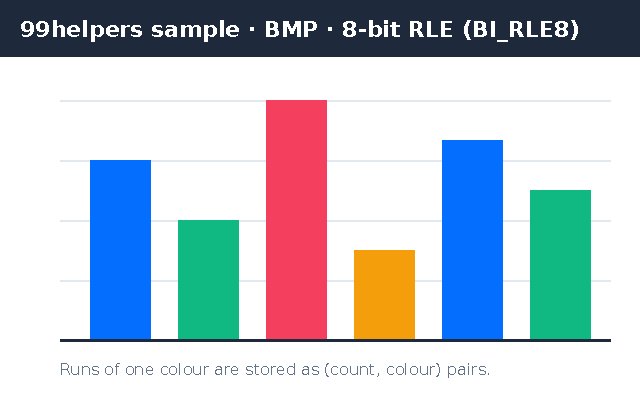
BI_RLE8(1) andBI_RLE4(2): run-length encoding for 8- and 4-bit images. Runs of one colour are stored as a count and a palette index. Oursample-rle8.bmp, a flat-colour chart, is 11,948 bytes; uncompressed, the same 640 × 400 image would take 257,078 bytes. On photos, RLE barely helps.BI_BITFIELDS(3): not compression but a description of the pixel layout, with bit masks saying where red, green, blue (and in V4 and V5 headers, alpha) sit in each 16- or 32-bit pixel.BI_JPEG(4) andBI_PNG(5): a JPEG or PNG image in place of the pixels. Windows only accepts these when sending images to a printer, so you won't meet them in files.
Comparison
BMP vs PNG, JPG and TIFF
| BMP | PNG | JPG | TIFF | |
|---|---|---|---|---|
| Compression | Usually none | Lossless | Lossy | None, lossless or lossy |
| Our 640 × 400 picture | 768,054 bytes | 458,129 bytes | 41,904 bytes (quality 85) | Depends on the compression |
| Transparency | 32-bit only, patchy support | Yes | No | Yes |
| Metadata | None (just resolution and colour space) | Text, Exif | Exif, XMP, ICC | Exif, XMP, IPTC, ICC |
| Browsers | All | All | All | Safari only |
| Best for | Simple programs and devices | Screenshots, graphics | Photos | Print, scans, archives |
Converting a BMP to PNG loses nothing and almost always makes the file smaller; for flat graphics like sample-rle8.bmp the PNG is 2,093 bytes. The one advantage BMP keeps is that it needs no decompression, which matters on tiny devices, not on computers or phones.
Troubleshooting
Upside down, slanted, wrong colours: common BMP problems
- The image is upside down. A reader ignored the sign of the height: it read a top-down file as bottom-up, or the other way round. Test with
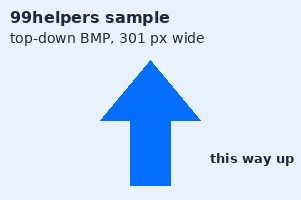
sample-top-down.bmp, whose arrow must point up. - The image slants or is striped diagonally. The reader didn't skip the row padding. It only shows when the width times the bytes per pixel isn't a multiple of 4, which is why
sample-top-down.bmpis 301 pixels wide. - Red and blue are swapped. The pixels were read as RGB instead of BGR.
- The transparent areas are black or white. Many programs treat the fourth byte of a 32-bit pixel as unused, especially with the 40-byte header. A V4 or V5 header with an alpha mask is the most widely understood way to store alpha, and support is still uneven. For transparency, use PNG.
- 16-bit colours look green or purple. 555 and 565 layouts were mixed up; the bit masks say which one the file uses.
- The file is huge. It's uncompressed. Convert to PNG for an exact copy at a fraction of the size.
How to
How to open, edit and convert a BMP file
- Open it: double-click. Windows Photos and Paint, macOS Preview, Linux image viewers and every browser show BMPs.
- Edit it: Paint, GIMP, Photoshop, Paint.NET or any image editor. Paint's Save as > BMP offers monochrome, 16-colour, 256-colour and 24-bit; GIMP's export dialog offers RLE and 16, 24 and 32-bit layouts.
- Convert to PNG or JPG: File > Export in Preview, Save as in Paint, or
magick image.bmp image.pngwith ImageMagick. - Make a BMP for an old program:
magick image.png BMP3:image.bmpwrites the plain 40-byte header that old readers expect; for a device that needs 24-bit, add-type TrueColor. - Inspect it:
identify -verbose image.bmp(ImageMagick) shows the size, bit depth and compression, andfile image.bmpthe header version; the headers are short enough to read in any hex editor.
Security
Is it safe to open a BMP file?
Yes, in general. A BMP has no scripts, macros or links, and RFC 7903, which registered image/bmp, describes bitmaps as having "a mostly unremarkable security history". Two cautions remain:
- Malformed headers. A file can claim dimensions, offsets or palette sizes that don't match its contents. Decoders that trust those numbers have had bugs; keep your software updated, and check dimensions before decoding uploaded files, since a small RLE file can declare a very large image.
- A BMP that isn't one. A file named
image.bmp.exeis a program, not an image. Windows hides known extensions by default, so turn them on in File Explorer.
On privacy, BMP is unusually clean: there's no Exif, no GPS and no text field, so a BMP carries only its pixels, size, resolution and colour space.
Free downloads
Sample BMP files to download
Free sample BMP files covering the common header versions, bit depths and quirks: 24-bit, 8-bit palette, RLE8, 32-bit with alpha, top-down rows with padding, and a 78-byte file you can read byte by byte. Every one decodes identically in Pillow, ImageMagick and FFmpeg.
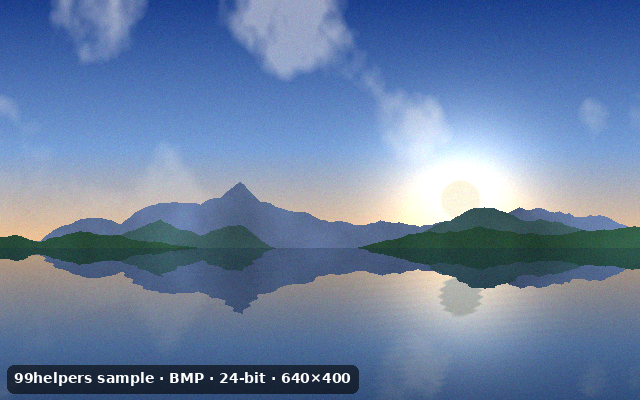
What's inside sample-24bit.bmp
sample-24bit.bmp is the kind of file Windows Paint saves: 24 bits per pixel, a 40-byte header, bottom-up rows. Open it in a hex editor to find these parts.
File header: BM, 768,054 bytes, offset 54
The signature, the total file size and where the pixels start.
BITMAPINFOHEADER (40 bytes)
640 wide, height +400 (bottom-up), 1 plane, 24 bits per pixel, compression 0 (
BI_RGB), 768,000 bytes of pixels, 72 DPI.No colour table
24-bit images store colours directly, so the pixels start straight after the header.
400 rows of 1,920 bytes
640 pixels × 3 bytes is already a multiple of 4, so these rows need no padding. The first row in the file is the bottom of the picture: the lake.
BGR byte order
Each pixel is blue, green, red. The sky near the top of the picture is at the end of the file.
No metadata
BMP has nowhere to put text, so the "99helpers sample" note is drawn into the image itself.
All sample BMP files
24-bit BMP
sample-24bit.bmp · 750.1 KB (768,054 bytes)
A 640 × 400 synthetic landscape, 24 bits per pixel, BITMAPINFOHEADER, bottom-up rows, no compression: the most common kind of BMP.
- Checking an app or upload form accepts BMP
- Testing conversion to PNG or JPEG
Tiny 3 × 2 BMP (78 bytes)
sample-3x2.bmp · 78 bytes
Six pixels: red, green, blue over black, grey, white. Every byte is explained in the anatomy above, padding included.
- Learning the format in a hex editor
- Unit tests for BMP readers and writers
8-bit palette BMP
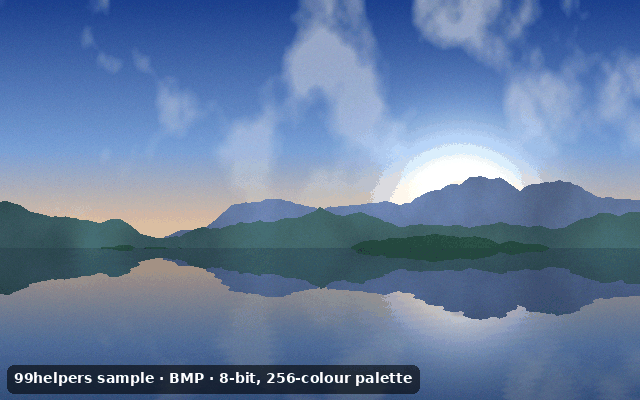
sample-8bit-palette.bmp · 251.1 KB (257,078 bytes)
A 640 × 400 landscape reduced to 256 colours with dithering, with a 1,024-byte colour table before the pixels (offset 1,078).
- Decoder tests for palette images
- Checking palette conversion to RGB
RLE8-compressed BMP
sample-rle8.bmp · 11.7 KB (11,948 bytes)
A 640 × 400 flat-colour bar chart with an 8-colour palette, compressed with
BI_RLE8: encoded runs, absolute runs and end-of-line codes.- Testing RLE8 decoding
- Checking thumbnailers handle compressed BMPs
32-bit BMP with alpha (V5 header)
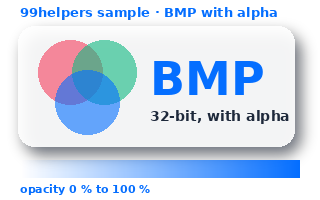
sample-32bit-alpha.bmp · 250.1 KB (256,138 bytes)
320 × 200 artwork with a soft shadow, translucent circles and an opacity ramp, in BGRA with a 124-byte BITMAPV5HEADER,
BI_BITFIELDSmasks including alpha, and the sRGB colour space.- Checking whether an app reads BMP transparency
- Testing V5 header support
Top-down BMP with row padding
sample-top-down.bmp · 176.6 KB (180,854 bytes)
301 × 200, 24-bit, with a negative height so rows run top to bottom. Each 903-byte row has 1 byte of padding. The arrow should point up and the edges should be straight.
- Catching readers that ignore negative heights
- Catching readers that ignore row padding

Ways to test with them
- Orientation: open
sample-top-down.bmpin your app or pipeline. If the arrow points down, it ignores the sign of the height. - Row padding: in the same file, a slanted image or a diagonal seam means the 1 byte of padding per row isn't skipped.
- Transparency: put
sample-32bit-alpha.bmpon a dark background. A black or white box means the alpha mask was ignored. - Compression support: some minimal readers only handle
BI_RGB;sample-rle8.bmpshows whether yours handles RLE8. - Byte-exact readers: compare your parser's output for
sample-3x2.bmpwith the six colours listed above.
Free to use for testing, teaching and demos, commercially or not, with no attribution needed. A link back to this page is always appreciated.
Put it online
Have a BMP file? Give it a link.
Drop a BMP on 99helpers and it gets its own web address. Anyone who opens the link sees the image straight away in their browser, at full quality, with nothing to download or convert.
Questions
BMP files, frequently asked
What is a BMP file?
A Windows bitmap: an image format that stores pixels, usually uncompressed, in the same layout Windows uses in memory. Every browser and image editor can open it.
Why are BMP files so big?
Because most are uncompressed: a 24-bit BMP takes 3 bytes per pixel, plus padding. A 12-megapixel photo is about 36 MB as BMP. PNG stores the same pixels exactly in much less space.
Is BMP lossless?
Yes. Uncompressed and RLE-compressed BMPs keep every pixel exactly. Converting from a lossy format like JPEG to BMP doesn't restore lost detail, though.
Does BMP support transparency?
Partly. 32-bit BMPs can carry an alpha channel, most reliably with a V4 or V5 header that declares an alpha mask, but many programs ignore it. Use PNG when transparency matters.
How do I convert BMP to PNG or JPG?
Open it in Paint, Photos or Preview and save or export as PNG or JPEG, or run magick image.bmp image.png. PNG keeps every pixel; JPEG makes a much smaller, slightly lossy copy.
Why is my BMP upside down?
BMP rows are normally stored bottom-up, and a negative height means top-down. A program that gets this wrong shows the image upside down.
What's the difference between BMP and DIB?
Nothing in the file. DIB (device-independent bitmap) is the in-memory structure; a .bmp or .dib file is that structure with a 14-byte file header in front.
Can I use BMP images on a website?
Browsers show them, but they're many times larger than PNG, JPEG or WebP and slow pages down. Convert them before publishing.
Related formats
Other file types explained
Keep going
Related
Sources
- Microsoft Learn: Bitmap Storage
- Microsoft Learn: Bitmap Header Types
- Microsoft Learn: BITMAPINFOHEADER structure
- RFC 7903: Windows Image Media Types (image/bmp)
- Library of Congress: BMP format description
- MDN: Image file type and format guide
Last reviewed 27 October 2026.